

Staying Ahead of Vaadin Versions: Our Add-ons in the Ecosystem Build
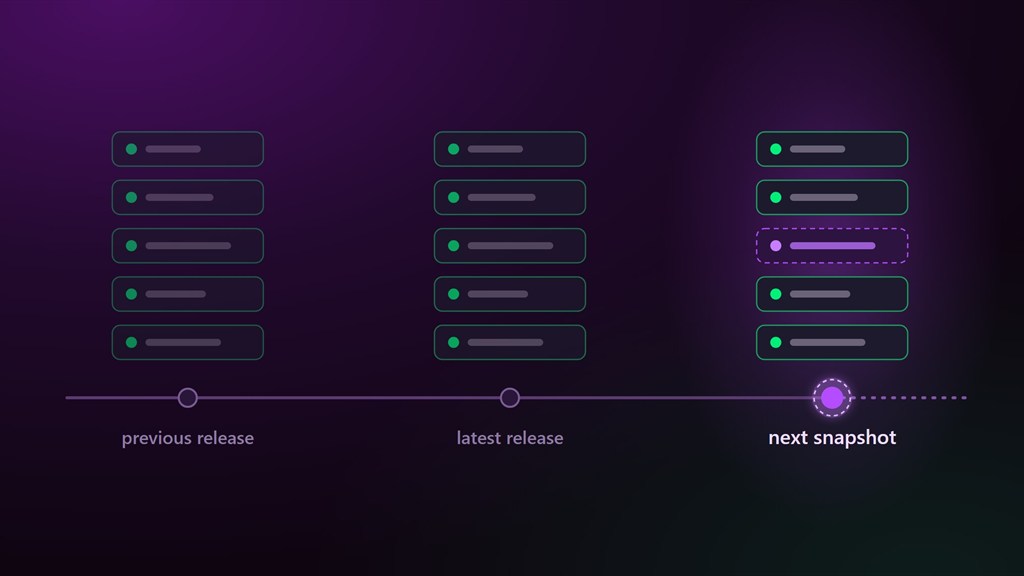
Vaadin keeps evolving, and the add-ons around it have to evolve with it. With more than 30 add-ons to maintain, most of them supporting several Vaadin versions from a single codebase, we’ve learned that the earlier we see what’s coming, the smoother each upgrade is.
That’s why we joined the Vaadin Ecosystem Build, which tests our add-ons against Vaadin versions that haven’t been released yet. Here is what it does and what it has caught for us so far.
When a Vaadin release breaks an add-on
In February 2026, Matti Tahvonen from Vaadin announced the Vaadin Ecosystem Build. The trigger was a regression: a backwards-incompatible change had broken a couple of important add-ons, and through them, several real applications. As he put it, it happens and it will happen again, so the question is how early you notice.
His answer was the Vaadin Ecosystem Build: build open source add-ons and applications against the latest Vaadin snapshots and the latest release, all the time, and report when something stops working. That helps three groups at once:
- The Vaadin team gets early feedback when a change breaks something.
- Vaadin can be more confident when a technically incompatible change is unlikely to affect anyone.
- People maintaining add-ons and projects get time to prepare for upcoming versions.
We are in that third group.
What the Vaadin Ecosystem Build does
The Vaadin Ecosystem Build is a JBang script that checks out a list of open source Maven projects and builds them against several Vaadin versions, including snapshots that haven’t been released yet. It runs on a schedule on GitHub Actions, and the results are published on a dashboard.
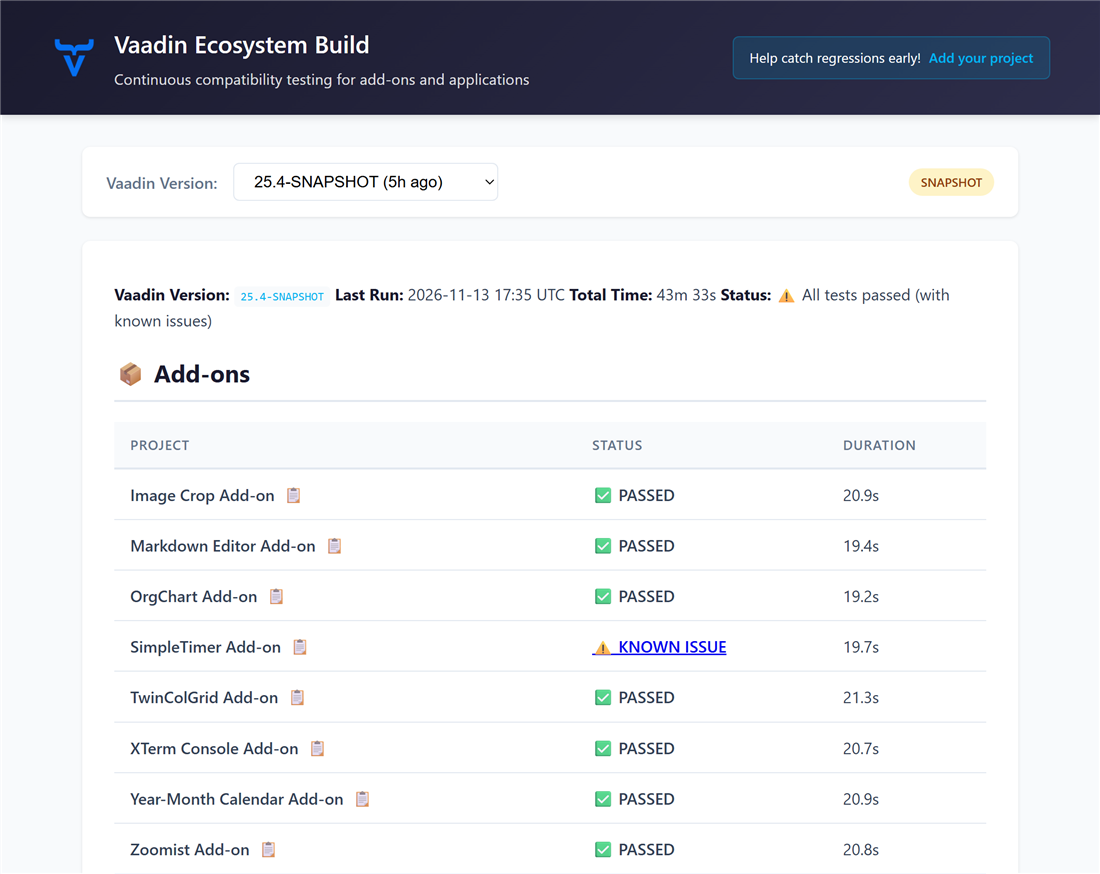
When a project stops building, it opens an issue with the Vaadin version, the error and a link to the full log, and mentions the GitHub users registered for that project, so they get notified. When the build passes again, it comments on the issue and closes it. Nobody has to remember to check.
It is still an unofficial proof of concept, with the plan of handing it over to Vaadin’s R&D team.
Which add-ons we enrolled, and why
We started with the add-ons we consider the most used or best known, the ones where a surprise would affect the most people. So far, 19 of our add-ons are part of the build, which makes Flowing Code the largest contributor of projects to it. That doesn’t mean we’ll stop there: the rest of the catalog may join over time.
Everything is done through pull requests to the project. Each add-on is a short entry in the build script with its repository, the Vaadin versions to test, the Maven profile to use for each one (most of our add-ons have one per supported version), and the GitHub users to notify. This is the entry for Grid Exporter:
new AddonProject() {{
    name = "Grid Exporter Add-on";
    repoUrl = "https://github.com/FlowingCode/GridExporterAddon";
    notifyUsers = List.of("scardanzan", "paodb");
    versionOverrides = Map.of(
        "24.*", new VersionConfig(),
        "25.*", new VersionConfig() {{ profile = "v25"; }});
}},
Changing who gets notified is a pull request too.
Along the way we also sent a couple of small improvements to the tool itself, such as support for version ranges.
What happens when a build fails
When one of our add-ons fails, the team gets an email with a link to the issue. The first thing to figure out is whether the problem is in the add-on or in the build.
Not every red build is a problem in an add-on. On a couple of days, many projects failed at once and recovered on their own within hours, which points to the build environment rather than to our code. Real problems look different: one add-on, one Vaadin version, and an error that makes sense when you read the log.
When it is real, we fix it in the add-on, and the issue closes itself once the build is green again.
Three real cases
Vaadin 25.1 and the servlet API
Vaadin 25.1.0-rc2 came out on March 19. Two days later, the build reported seven of our add-ons failing against it: Badge List, Chat Assistant, Day of Week Selector, Extended Login, Image Crop, Markdown Editor and Year-Month Calendar. All of them failed in the same place, the serialization test, with a ClassNotFoundException for jakarta.servlet.http.HttpSessionBindingListener.
The cause was a change in Vaadin 25.1: flow-server no longer brings the Jakarta Servlet API as a transitive dependency (vaadin/flow#23785). Applications built with Spring Boot get it anyway, but our add-ons run their tests and demos on Jetty, and none of them declared it.
The next day, we added jakarta.servlet-api to the Vaadin 25 profile of the seven add-ons (this is the change in Badge List), and a few days later to the template we use to start new add-ons. Vaadin 25.1.0 was released on March 25, and our add-ons were already building against it.
Google Maps and JDK 25
At the end of July, the ecosystem build started using JDK 25 to compile the projects it tests. Our add-ons target Java 21, but several of them, Google Maps and Badge List among them, couldn’t be compiled with that JDK. The reason was Lombok, which we use at compile time: the version we had didn’t support JDK 25 yet.
We upgraded Lombok in those add-ons, and they now compile with JDK 25 as well, still targeting Java 21. Applications using our add-ons were never affected.
Without the ecosystem build, we would have found this the day someone tried to build one of our add-ons with JDK 25. Instead, it was fixed before it got in anyone’s way.
Simple Timer and Vaadin 25.4
In November, Simple Timer started failing against Vaadin 25.4-SNAPSHOT. This time it was a test: resumingOnAttachSyncsOnce expected one call to the timer’s _sync function and found none.
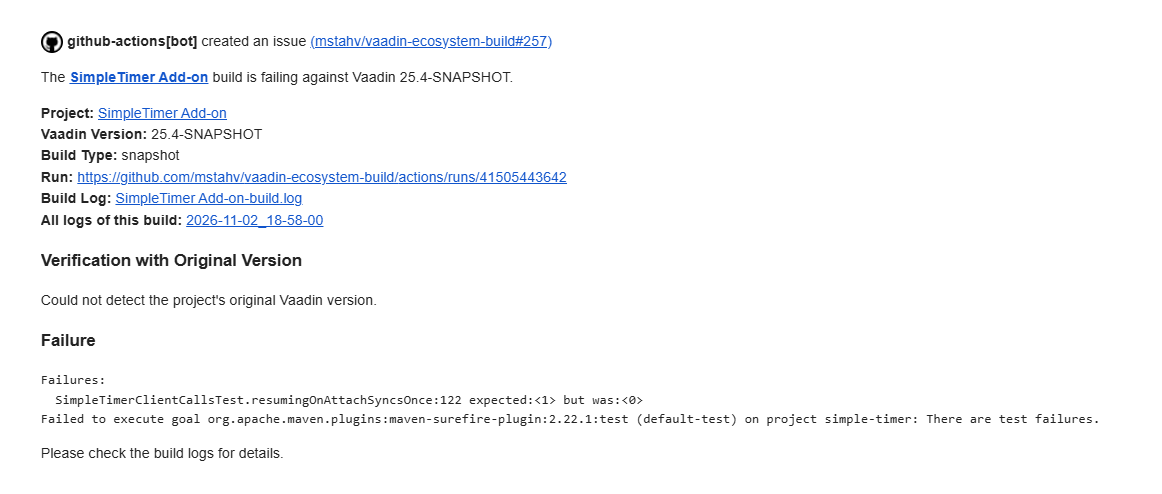
The add-on itself was fine. A change in Flow (vaadin/flow#25852) made Element.callJsFunction pass the function name as a parameter instead of including it in the JavaScript expression. Our test looked for the name in the expression, so it stopped finding it, even though the call was still there.
We opened an issue to make the test check the parameters too, and Matti replied with a patch (thanks, Matti!), similar to one that went into another add-on in the build. We applied it, the build went green again, and the ecosystem build closed the issue on its own.
It is a small case, but it shows the value of having tests in the build, not just compilation. The test had been written days earlier, and Vaadin 25.4 hasn’t been released yet. We found out the test depended on an implementation detail before it could confuse anyone.
Join in
The more projects the build covers, the more useful it is for everyone: for the Vaadin team, who see the effect of a change on real code, and for maintainers, who get time to prepare.
If you maintain an open source Vaadin add-on or application built with Maven, you can propose it with a pull request or an issue. Compiling is already useful, and if your project has unit or end-to-end tests, even better.
And if a build fails, you’ll know before your users do.

Paola De Bartolo
Systems Engineer. Java Developer. Vaadin enthusiast since the moment I heard "you can implement all UI with Java". Proud member of the #FlowingCodeTeam since 2017.
Join the conversation!