
Vaadin 25 was just released, and it comes with an interesting set of breaking changes to keep us entertained and wide awake as we head into the year’s final stretch.
At Flowing Code we maintain more than 30 add-ons, and most of them currently support Vaadin 14, 23, and 24. As you can imagine, this makes the Vaadin 25 migration cycle a substantial effort. And our goal is ambitious: keep a single codebase compatible with all supported Vaadin versions, without branching off into Vaadin-25-specific releases unless absolutely necessary.
And while each add-on has its own migration checklist (theming updates, dependency changes, API adjustments, etc.), one challenge appeared almost immediately and blocked progress for many components: the removal of Elemental JSON.
The Challenge: Elemental JSON → Jackson 3
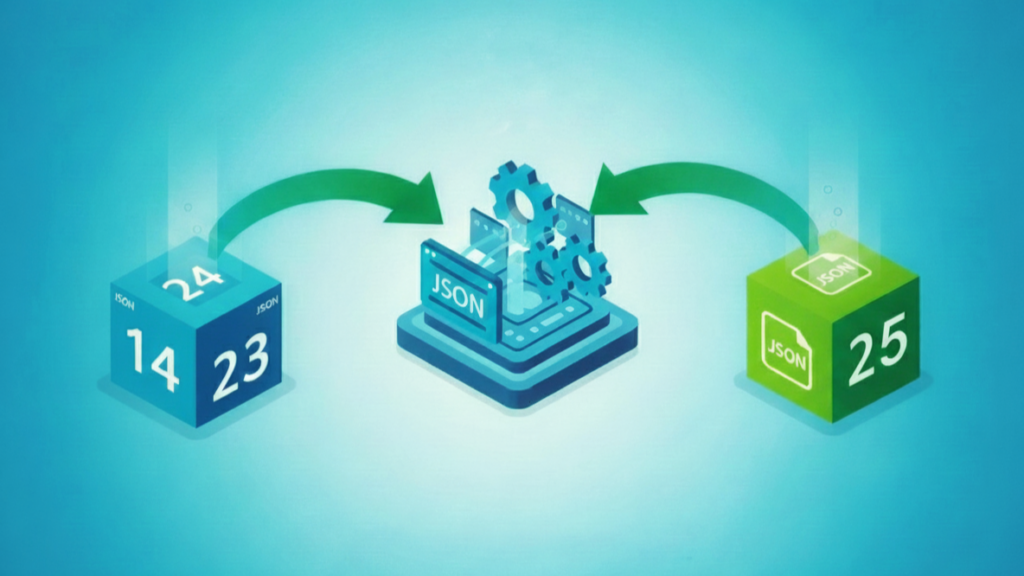
One of the headline changes in Vaadin 25 is the replacement of the Elemental JSON dependency with a new JSON system based on Jackson 3. This update poses compatibility issues when supporting multiple Vaadin versions in the same codebase as any add-on using classes like: JsonObject, JsonArray, JsonValue, etc. breaks instantly when running under Vaadin 25.
For many of our add-ons, JSON handling is not a small detail, it is deeply integrated into server–client communication, configuration objects, custom events, and component state.
The most straightforward solution would have been to create a new major version of each add-on that needs to support Vaadin 25. But creating new versions for 30+ add-ons? A scary and very-much-wanted-to-avoid scenario was in front of us.
The Idea: A Compatibility Layer
During the internal exploration, Javier came up with a much better (and really interesting) idea: create a compatibility layer that abstracts all JSON operations, hiding the Vaadin-specific API behind a unified interface. Consequently, this led to the creation of Json Migration Helper, a small helper library that detects the running Vaadin version and uses the appropriate JSON implementation automatically.
The goal here is simple, code that calls JSON APIs shouldn’t care whether it’s using Elemental JSON (Vaadin 14–24) or Jackson 3 (Vaadin 25+).
And current testing, proves that this abstraction makes this part of the migration dramatically easier.
Using the Helper: Zero-Effort Integration
What makes this helper really special is its simplicity from the perspective of add-on developers. To make an add-on compatible with Vaadin 25 and the previous supported versions, you simply add one annotation at the class level:
@ExtensionMethod(JsonMigration.class)
public class MyComponent extends Div {
    // your existing code
}
This enables all JsonMigration methods to behave as extension methods, which means you can keep writing natural, familiar code:
getElement().setPropertyJson("property", jsonValue);

getElement()
    .executeJs("console.log($0)", jsonValue)
    .then(json -> { /* ... */ });

getElement().addEventListener("click", event -> {
    JsonObject data = event.getEventData();
});
Behind the scenes, those calls automatically route to the correct JSON implementation depending on whether the app is running on Vaadin 14–24 (Elemental JSON) or Vaadin 25+ (Jackson 3).
And that’s it.
No branching logic.
No need for version checks or JSON refactoring.
Just a single annotation and your code becomes version-agnostic.
Here’s an example on how we integrated it in one of our add-ons.
Looking In: How It Works Internally
The Json Migration Helper provides a drop-in compatibility layer, acting as a bridge between:
- Elemental JSON (Vaadin 14–24)
- Jackson 3 (Vaadin 25+)
The key ingredients are:
1. Automatic Vaadin Version Detection
The library checks at runtime whether Vaadin 25 APIs are present and selects the appropriate JSON strategy, ensuring seamless behavior across versions.
2. Unified JSON Handling Utilities
The helper re-exposes JSON operations through value-based methods such as:
setPropertyJson(element, name, value)executeJs(element, script, args...)getEventData(event)convertToClientCallableResult(json)convertToJsonValue(object)
These methods mirror the API of Elemental JSON while delegating internally to the correct engine.
3. Lombok @ExtensionMethod Magic
By annotating your class with:
@ExtensionMethod(JsonMigration.class)
all these helper methods behave as if they were native methods of Element, DomEvent, or any other relevant Vaadin class. This keeps your code clean and readable, while the helper takes care of delegating to the right JSON engine.
4. @ClientCallable Compatibility
The helper provide mechanisms to handle JSON arguments and return types @ClientCallable methods.
Returning JSON: Consistent Server-to-Client Values
When a @ClientCallable method needs to return a JSON value, the helper provides:
JsonMigration.convertToClientCallableResult(json);
This ensures the returned value is compatible with either Elemental JSON or Jackson 3, depending on the Vaadin version in use.
@ClientCallable
public JsonValue getJsonData() {
    JsonValue json = ...;
    return JsonMigration.convertToClientCallableResult(json);
}
Receiving JSON: Preserving Backward Compatibility
ClientCallable methods that receive JSON require special handling. When a method accepts JsonValue as a parameter, it cannot use @ClientCallable directly because the underlying JSON implementation differs across Vaadin versions.
To address this, the helper introduces @LegacyClientCallable, which restores compatibility for JSON-accepting callables originally built for Elemental JSON.
Using @LegacyClientCallable requires instrumentation. This can be enabled by:
- Applying
JsonMigration.instrumentClassmanually, or - Annotating the view with
@InstrumentedRoute, together with anInstrumentationViewInitializer.
Example:
@InstrumentedRoute("legacy-view")
public class ViewWithElementalCallables extends Div {

    @LegacyClientCallable
    public void receiveJson(JsonValue json) {
        // ...
    }
}
Instrumentation must then be registered, either viaMETA-INF/services/com.vaadin.flow.server.VaadinServiceInitListener
or through Spring:
public class ViewInitializerImpl extends InstrumentationViewInitializer {
    @Override
    public void serviceInit(ServiceInitEvent event) {
        registerInstrumentedRoute(ViewWithElementalCallables.class);
    }
}
Please note that class instrumentation relies on ASM. Since ASM is only included transitively in Vaadin 24+, projects targeting Vaadin 14–23 must add the dependency explicitly:
<dependency>
    <groupId>org.ow2.asm</groupId>
    <artifactId>asm</artifactId>
    <version>9.8</version>
</dependency>
This mechanism is provided to preserve compatibility with existing add-ons and implementations that depend on Elemental-style JSON callables, while still allowing them to run on newer Vaadin versions.
5. Serialization Utilities (JsonSerializer / JsonCodec)
These utilities allow add-ons to serialize and deserialize elemental JSON values when needed. They provide a simple way to turn JsonValue objects into strings and back again using the same Elemental JSON behavior that existed before Vaadin 25. This is useful for add-ons that still need to work with JsonValue internally, regardless of the Vaadin version in use.
Why It Matters: Benefits for Developers and End-Users
By using this helper instead of creating a new major version of each add-on we achieved several advantages:
✔ One unified codebase: no need for Vaadin-specific version branches.
✔ Less migration work: in most cases, adding one annotation and updating a few JSON calls is all you need
✔ Zero breaking changes inside add-ons: existing JSON usage continues to work without refactoring.
✔ Version-safe ClientCallable handling: JSON arguments and return values work transparently across Vaadin 14–25+.
✔ Transparent for end-users: developers using our add-ons don’t have to worry about compatibility or dependencies.
✔ Open to the community: the helper is published in the Vaadin Directory, so anyone can use it to simplify their own migration efforts.
One Step Closer: Our Migration Journey Continues
The JSON change was the first big challenge we tackled while preparing our ecosystem for Vaadin 25. Solving it gives us a strong foundation for what’s next.
It’s still possible that a few add-ons may require a Vaadin-25-specific version, but this approach already keeps a good number of them unified under a single codebase.
We still expect to encounter more challenges along the way, but so far, migration progress looks promising.
If you maintain your own add-ons or custom components, we hope our experience helps you approach the Vaadin 25 upgrade with fewer surprises and a smoother transition.


Join the conversation!