
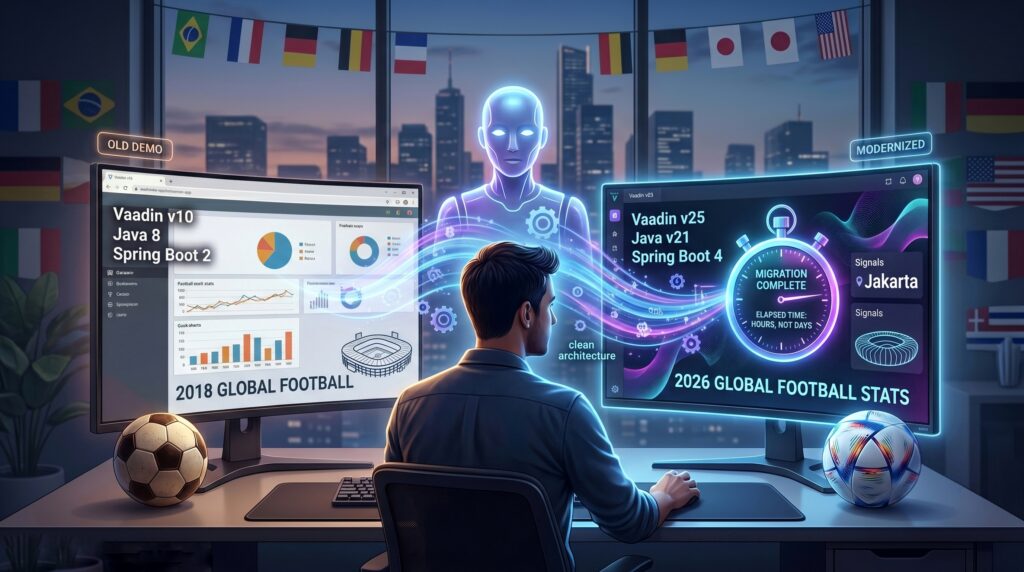
Back in 2018, our team at Flowing Code built a quick, scrappy demo to show off the then-brand-new Vaadin 10. It was a hackathon project built around the major global football tournament happening in Russia at the time. The app was designed as a live dashboard tracking match fixtures, real-time scores, and group standings.
With the 2026 tournament kicking off, we asked ourselves a question: Would it be possible to update this 8-year-old repository to Vaadin 25 and show data for the current event? Instead of doing the heavy lifting manually, we decided to bring in Claude as an AI pair-programmer (specifically the Opus model). Here is the story of how a hackathon project was resurrected eight years later, along with what we learned about AI-assisted migrations along the way.
The First Deliverable Wasn’t Code
When facing a migration spanning eight years of breaking changes, the biggest risk is starting blind.
- Our original app relied on Vaadin 10, Java 8, and Spring Boot 2.0.
- To reach Vaadin 25, we had to upgrade to Java 21 and Spring Boot 4.0.6, while letting the framework handle the massive internal shift to its modern frontend engine.
- Furthermore, Claude’s initial reconnaissance quickly verified that our original data API (
worldcup.sfg.io) was permanently offline.
Because of these massive shifts, we asked Claude to write a shareable migration guide before writing a single line of code. This document laid out the current state, compared new data sources, and highlighted the specific decisions our human team needed to make.
Turning unknowns into a human-reviewable checklist proved to be the most valuable thing the AI produced. It reframed expectations immediately: this wasn’t just a version bump; it was a data-layer rewrite and an architecture refresh.
The Human in the Loop: Making the Hard Calls
While Claude surfaced options and trade-offs, human judgment shaped what the app could ultimately be.
- The Data API Constraint: We established a strict “free, no API key” constraint. Claude laid out the landscape, showing that this single constraint eliminated paid APIs and the rich stats (like lineups and possession) the original app featured.
- Redefining the Product: By choosing a free source, we quietly redefined the product. We accepted that we couldn’t have rich analytics, locking the scope into a core rebuild focused on fixtures, live scores, group standings, and country pages. Selected source
worldcup26.ir. - Ecosystem Reality Checks: Claude’s knowledge cutoff meant it assumed Vaadin 25 used Spring Boot 3.x, but human domain knowledge was required to correct this to Spring Boot 4.
- Trademark Caution: Because some terms associated with this global event are strictly registered marks, human judgment was necessary to rename the app to “Global Football 2026 Stats” and include a clear non-affiliation disclaimer. AI can write the code, but the human owns the legal and branding calls.
The Architecture That Saved Time
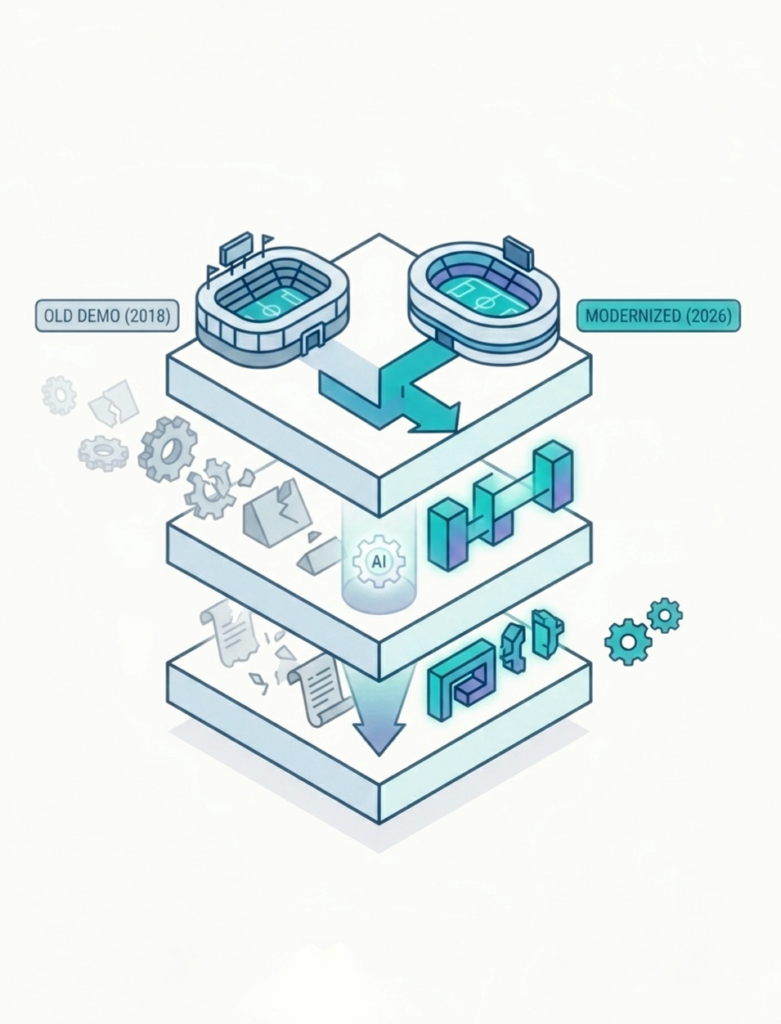
Despite the massive technology leap, the migration was highly successful due to the original app’s MVP (Model-View-Presenter) layering.
Because the view-DTO contract was completely agnostic to the data source, we only had to rewrite the repository client and service mappers. The presenters, screens, and DTOs remained entirely untouched. It was a perfect reminder that good architectural layering pays off the most during a major migration.
Working with Claude: Superpowers and the Learning Curve
Using an AI pair-programmer turned a multi-day archaeological dig into a guided, well-documented session. However, it also highlighted that as developers, we are still learning how to properly steer these tools.
Where the AI Shined:
- Fast Reconnaissance: Claude quickly navigated eight years of removed APIs and enumerated breaking changes per file.
- Grounded Verification: It didn’t just guess; it inspected resolved JARs, read official starter POMs, and used
curlto test the live API schema before writing the mappers. - Tedium at Scale: The AI effortlessly handled mechanical sweeps, like renaming
javaxtojakartaand replacing deprecated components.
The Human Learning Curve:
- Context is Everything: Local dev commands initially crashed because of a missing
vaadin-devdependency. This wasn’t necessarily Claude’s fault; it was a reminder that the AI only knows the context we provide. - Establishing Ground Rules: At one point, the AI edited a file while we were actively testing the running app, creating conflicting configurations that broke the startup. The lesson? You have to explicitly tell your AI agent, “I’m testing, don’t touch,” to let it finish a change atomically.
The Epilogue: Connecting the Vaadin MCP and Finding Signals
Our migration successfully got the app running on Vaadin 25. However, after the fact, we realized we hadn’t used a Vaadin-specific Model Context Protocol (MCP) during the initial process.
In hindsight, connecting the MCP from day one would have saved us from early configuration stumbles. For example, the missing vaadin-dev dependency we hit during local testing is exactly the kind of version-specific knowledge a domain-aware MCP provides out of the box.
But the real value of the MCP surfaced when we decided to explore Vaadin 25’s new features. As developers, we knew about Signals, Vaadin’s new reactive state-management API, and wanted to see if our demo app could benefit from it. By giving Claude access to the Vaadin MCP, the AI instantly grasped the technical nuances of this new feature. We asked Claude to analyze our codebase, and it pinpointed exactly where Signals belonged.
In our migrated code, we had faithfully ported a 2018 pattern for pushing live match scores to the UI: a hand-rolled broadcaster with a static Set of match cards, requiring explicit attach/detach registrations and manual UI.access() calls.
Armed with the MCP, Claude showed us how Vaadin’s new SharedMapSignal is built exactly for this type of shared-state-across-users. We refactored the live update layer, allowing each match card to simply bind to a signal. When the scheduled poll updates the signal, every UI showing that match updates automatically. There are no listener sets, no manual thread-to-UI plumbing, and redundant code was deleted.
The takeaway? AI is great at translating old code to compile on a new platform, but when paired with domain-specific tools like the Vaadin MCP, it becomes a powerful sounding board to help you modernize your architecture.
Try it Locally
If you want to explore the code, see how we implemented Signals, or check out the exact changes Claude helped us make, visit the repository available in our GitHub organization.
The best part of any implementation is finally seeing it live. You can easily test out our modernized Vaadin 25 app by cloning the repository and running it on your local environment.
Just clone the repository and run: mvn spring-boot:run. Once it compiles and starts, open your browser and navigate to http://localhost:8080 to see it in action!
Since we chose a free, community-driven data API, please keep in mind that it occasionally experiences heavy traffic and temporary downtime. If the data takes a moment to load or fails, the Vaadin architecture is doing its job, but the data source might just be catching its breath.
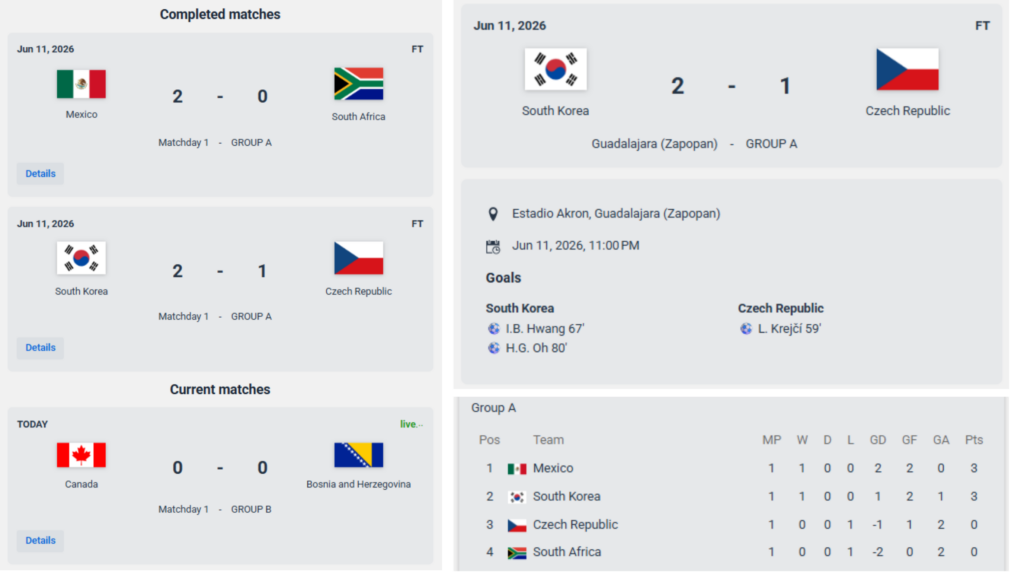
The Vaadin Verdict: The Timeline from Days to Hours
If there is one major takeaway for the Vaadin community, it’s this: jumping from Vaadin 10 to 25 sounds intimidating, but with the right setup, it is highly feasible.
For an app of this limited scope, a migration spanning eight years of changes (including Vaadin’s massive internal frontend evolution, a data-layer rewrite, and the Jakarta namespace switch) would typically take days by hand. With Claude, we compressed this into a single afternoon.
In total, the migration process took around 3 to 4 hours of effective session time. The slowest mechanical step wasn’t even the code generation; it was Vite bundling the frontend, which took about 3 minutes. Of course, this speed was only possible because a knowledgeable human was in the loop to correct AI assumptions in real-time. But it proves that with clean architecture and an AI agent handling the grunt work, bringing a legacy system back to life is faster than ever.
We hope this story encourages you to give AI a try and bring new life to your own legacy apps.
Thanks for reading, and let’s keep the code flowing!
(P.S. ¡Vamos Argentina! 🇦🇷)


Join the conversation!